Swallow Data: Live insight into your pricing performance

As Swallow serves millions of quotes a day, every quote flows straight into the platform for you to explore, analyse, and edit when needed.
You’ll see how individual quotes can be adjusted, how audit trails remain intact, and how teams can connect external APIs to monitor sales and conversion alongside pricing activity.
You can export data in multiple formats, automate outputs directly from Build, and keep every insight centralised for your whole team. The transcript below walks through how data in Swallow stays live, transparent, and always ready for action.
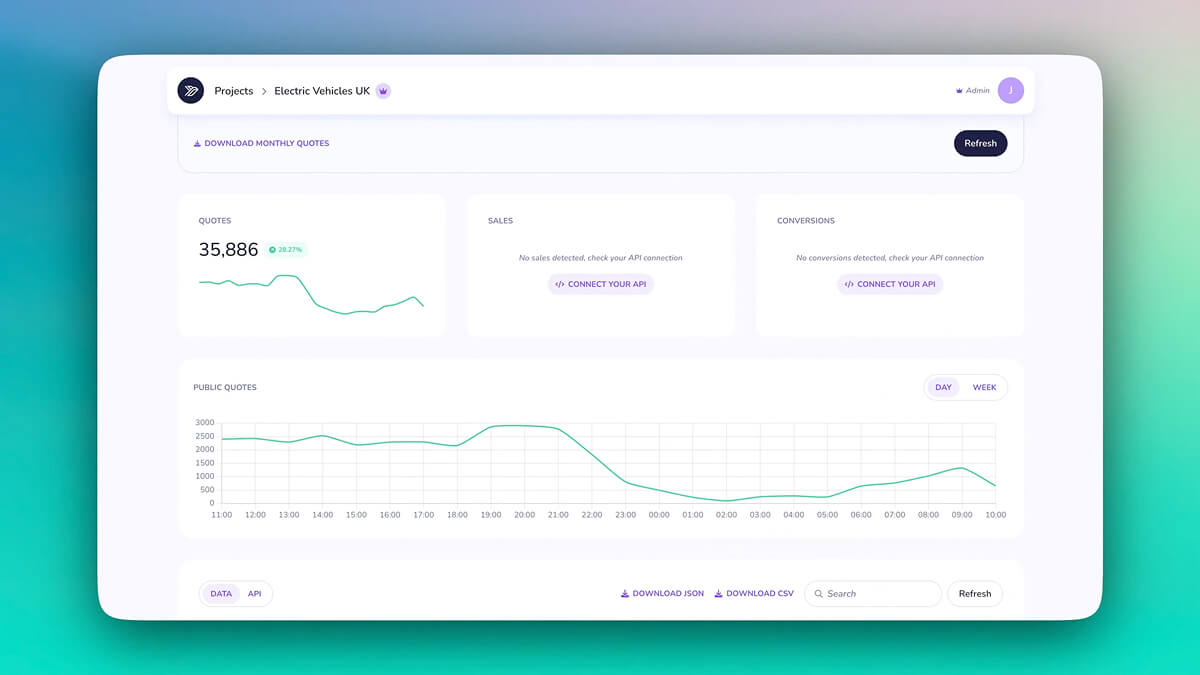
This screen introduces the live performance dashboard, where Swallow gives you an immediate view of how your pricing models are behaving in production.
As quotes flow through your APIs, the dashboard updates in real time, helping you understand volumes, trends and business activity at a glance. It highlights that Swallow is built to serve millions of quotes every day and gives you a clear picture of that traffic instantly.
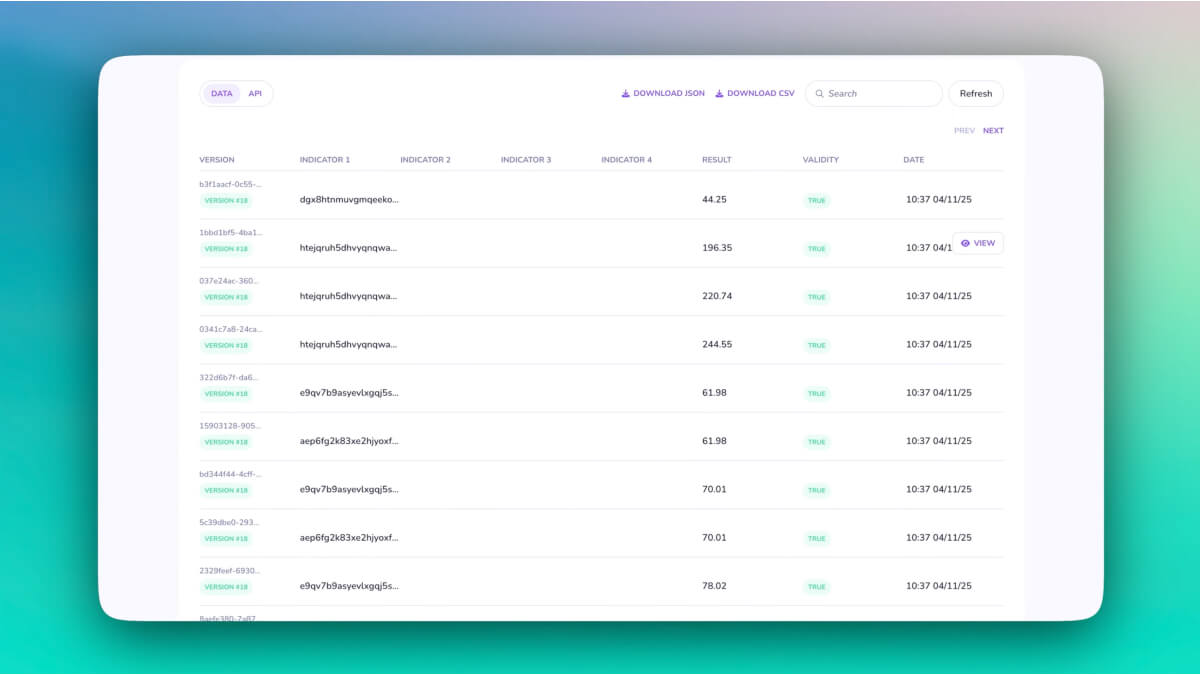
Here you see the full list of incoming quotes automatically pulled into the platform.
Every row represents a real customer interaction, allowing you to scroll, filter and explore your data without any manual setup. This is where insurers get a transparent view of live pricing behaviour, enabling deeper analysis of customer segments and operational performance.
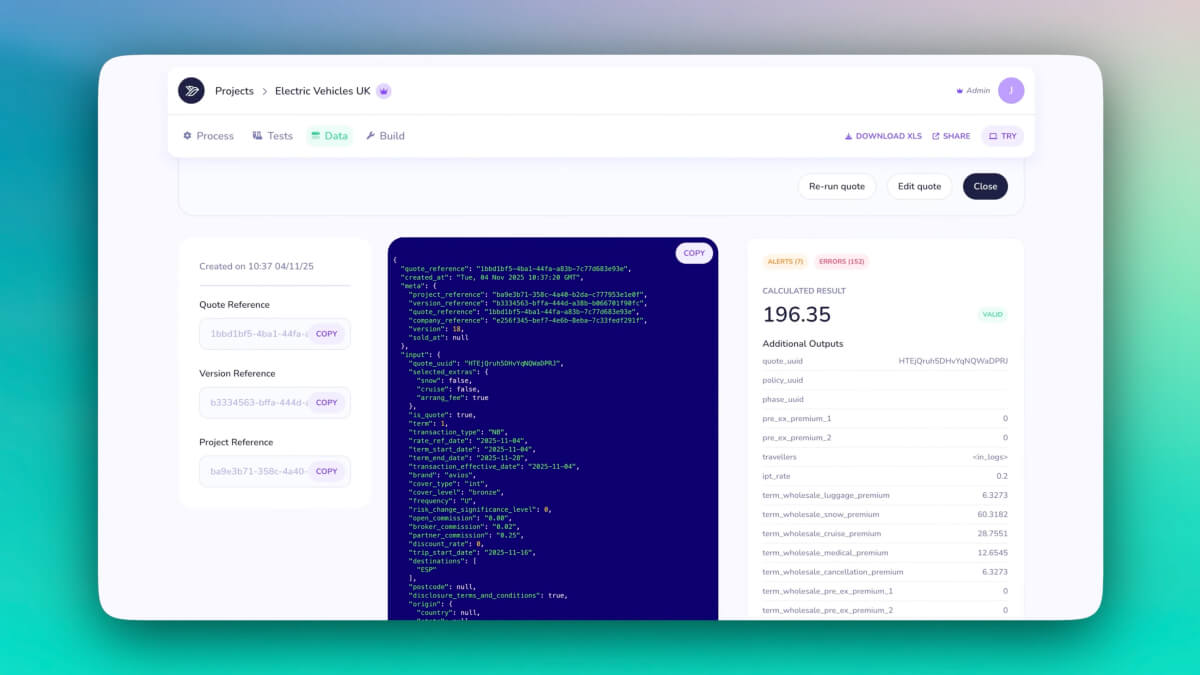
Selecting any quote opens a detailed breakdown, showing every field, input and output.
From here you can edit values just like adjusting an invoice. Whether you want to tweak a premium, add a discount or reactivate a declined quote, the edit tools give you control while keeping everything auditable. This screen demonstrates how Swallow combines flexibility with a complete historical trail.
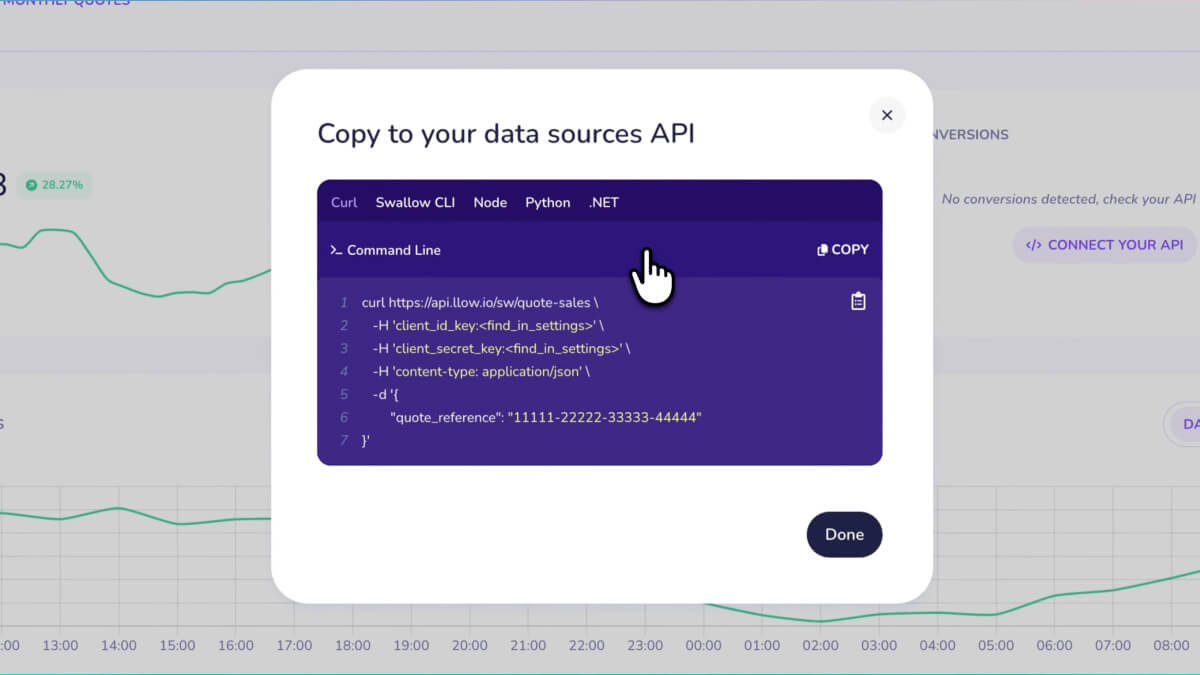
This section highlights how easily you can integrate your own APIs or internal data sources. By connecting external systems, you can combine sales metrics, conversion performance and quote behaviour into one unified view.
It shows how Swallow becomes a single place to understand both pricing results and commercial outcomes.
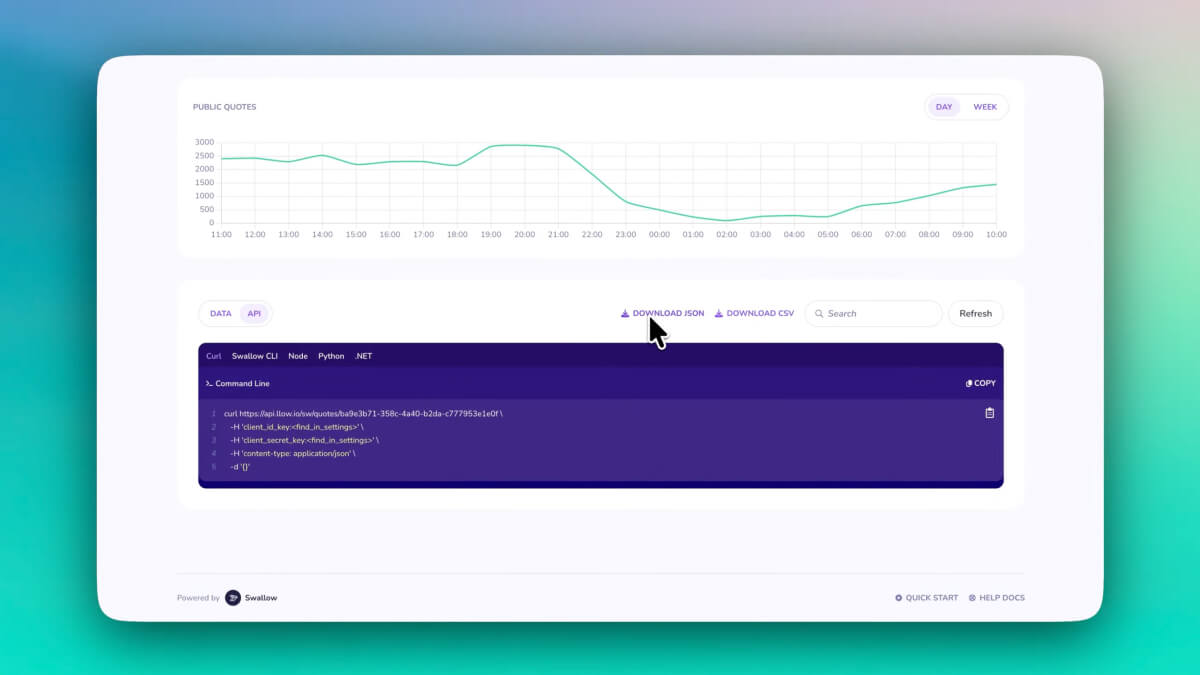
Here the video explains how data can be taken out of the platform. Swallow supports exports via API or direct download in JSON and CSV formats.
This gives teams the freedom to work with live production data in any external tool or data warehouse, supporting analytics, reporting and advanced modelling.
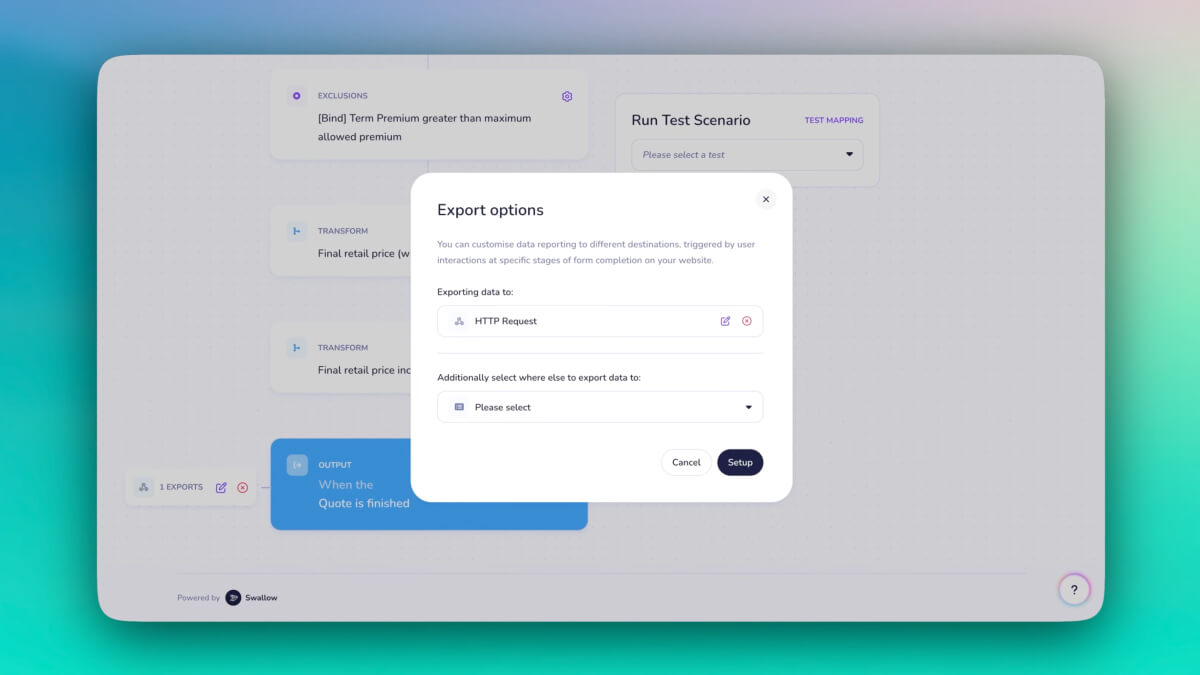
The final section demonstrates automated export steps inside the Build area.
You can configure quotes to be sent to email or webhooks automatically, removing operational overhead and improving workflow efficiency. This connects pricing logic, live quotes and automation in one continuous process, keeping models and performance insights tightly aligned.